


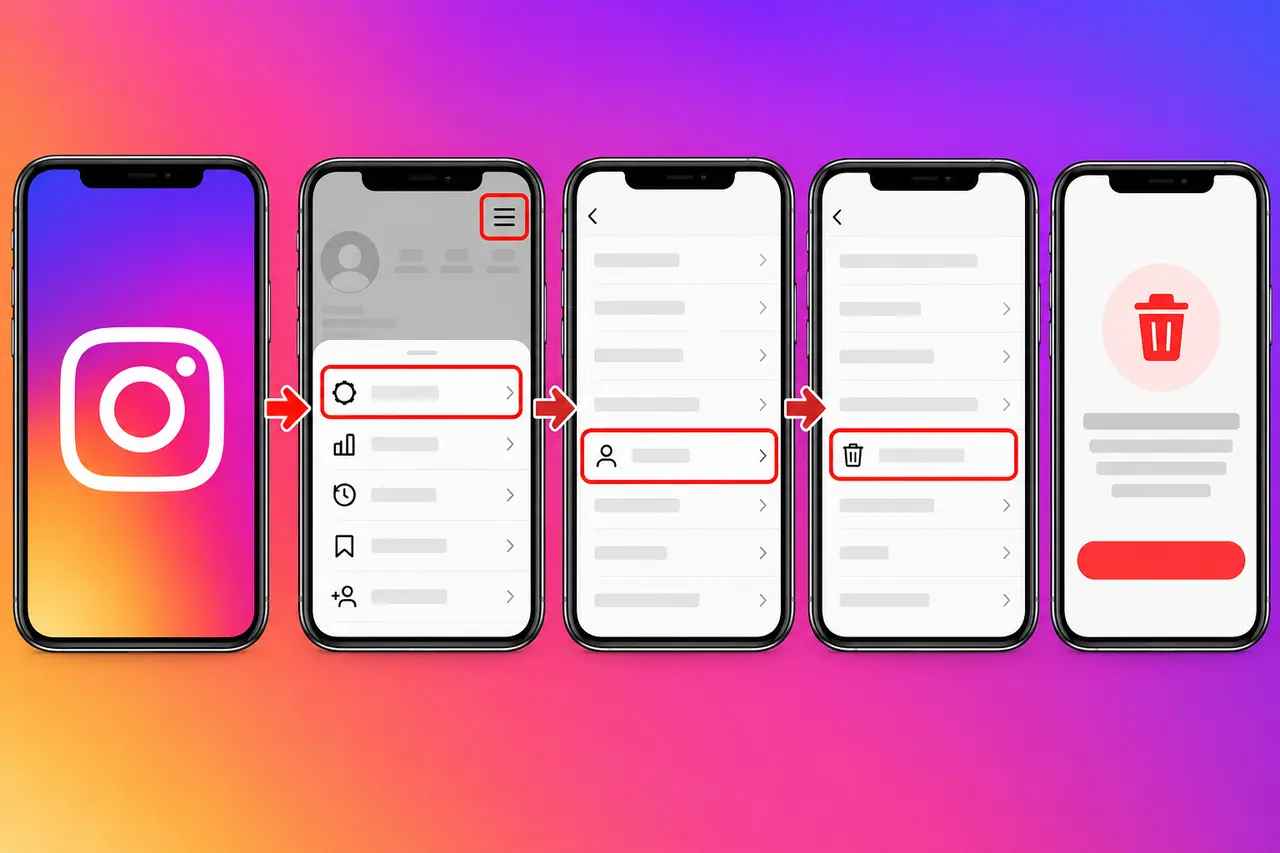
If you want to delete your Instagram account permanently, you can do it through Meta’s Accounts Center from the Instagram app or a computer. The key path is Accounts Center > Personal details > Account ownership and control > Deactivation or deletion. From there, select the Instagram account you want to remove, choose Delete account, and follow the confirmation steps.
Deleting an Instagram account is different from temporarily deactivating it. Permanent deletion removes your profile, photos, videos, comments, likes, and followers after the applicable cancellation period. If you are unsure whether you want to leave Instagram permanently, temporary deactivation may be the safer option.
How to Delete an Instagram Account in the App
Instagram now manages permanent account deletion through Meta’s Accounts Center. The exact wording or placement of menu options can vary slightly between app versions, but the account-control path remains centered around Accounts Center.
To delete your Instagram account:
- Open Instagram and log in to the account you want to delete.
- Go to your profile.
- Tap the menu icon with three horizontal lines.
- Open Accounts Center.
- Select Personal details.
- Tap Account ownership and control.
- Select Deactivation or deletion.
- Choose the Instagram account you want to remove.
- Select Delete account.
- Tap Continue and complete the verification or confirmation prompts.
Meta’s Instagram Help Center confirms that permanent deletion is available through Accounts Center and that you must select the specific account before choosing the deletion option.
If you have several Instagram or Facebook profiles connected to the same Accounts Center, check the username carefully before confirming. Selecting the wrong profile can start the deletion process for an account you intended to keep.
How to Delete an Instagram Account on a Computer
You can also permanently delete Instagram from a desktop or laptop.
Log in to Instagram in your browser, open your settings and Accounts Center, then follow:
Personal details > Account ownership and control > Deactivation or deletion > Select account > Delete account > Continue
You may need to enter your password or complete another security check before Instagram accepts the request.
You do not need to delete the Instagram mobile app from your phone first. Uninstalling the app and deleting your account are two completely different actions. Removing the app only removes Instagram from the device. Your account remains active until you complete Instagram’s account-deletion process.
What Happens When You Delete Your Instagram Account?
Permanent deletion removes substantially more than your visible profile.
Instagram states that deleting an account permanently removes your:
- Profile
- Photos
- Videos
- Comments
- Likes
- Followers
Once the deletion becomes permanent, you cannot use Instagram’s account tools to retrieve the deleted material.
That makes downloading important content before deletion worth considering, particularly if your Instagram account contains photos, videos, posts, or other information you do not have stored elsewhere.
Deleting the app does not delete your account
This is a common source of confusion.
| Action | What happens |
|---|---|
| Uninstall the Instagram app | Instagram disappears from your device, but your account remains active |
| Log out of Instagram | You leave the account on that device, but the account remains active |
| Temporarily deactivate Instagram | Your account is hidden temporarily and can later be restored |
| Permanently delete Instagram | Your account and associated profile content are scheduled for permanent deletion |
If your goal is simply to stop using Instagram for a few weeks, uninstalling the app or temporarily deactivating the account may accomplish what you need without permanently removing your data.
Download Your Instagram Information Before Deleting the Account
Before permanently deleting Instagram, consider exporting a copy of information you want to keep.
Instagram specifically recommends exporting your information before account deletion because you will no longer have access to Instagram’s information-export tool after the account has been deleted.
This can be useful if your profile contains:
- Personal photos that are not backed up elsewhere
- Videos or Reels you created
- Posts you may want to preserve
- Other account information you may need later
Do not assume that because a photo exists on Instagram you still have the original on your phone. Older posts may have been uploaded from devices or backups you no longer possess.
A simple pre-deletion checklist is:
- Save or export anything you want to keep.
- Confirm which Instagram username you are deleting.
- Check whether you use the account for any connected login or business activity.
- Make sure you actually want permanent deletion rather than temporary deactivation.
- Submit the deletion request only after completing those checks.
How Long Does Instagram Take to Delete an Account?
Instagram states that 30 days after a deletion request, the account and its information are permanently deleted and can no longer be retrieved. However, Meta also notes that the number of days during which deletion can be cancelled can vary by region.
During the applicable deletion period, your Instagram content is not accessible to other Instagram users, according to Meta’s published guidance.
Because regional rules can differ, pay attention to the deletion date Instagram displays when you submit the request. That date is more useful for your particular account than assuming every user receives exactly the same cancellation window.
Can You Recover an Instagram Account After Requesting Deletion?
Recovery depends on whether the deletion has become permanent.
Instagram provides a cancellation period after a deletion request, with Meta’s Help Center noting a typical 30-day timeframe while also stating that the available number of days can vary by region.
Once the account has actually been deleted, restoration is not available. Instagram’s Help Center states that an account deleted by you or someone with your password cannot be restored after deletion has completed.
If you change your mind shortly after requesting deletion, therefore, do not wait until the last day. Log back into Instagram and follow the available cancellation prompts while your account is still eligible.
Delete vs. Deactivate an Instagram Account
Choose deletion only when you intend to leave the account permanently.
Temporary deactivation is better suited to someone who wants a break without permanently erasing the account. Instagram itself recommends deactivation as the alternative when someone only wants to step away temporarily.
| Delete Instagram | Deactivate Instagram |
|---|---|
| Intended to be permanent | Intended to be temporary |
| Profile and account data are scheduled for deletion | Profile is temporarily hidden |
| Recovery becomes impossible after permanent deletion | Account can be restored by returning |
| Better when you no longer want the account | Better when you may use Instagram again |
For example, if social media is distracting you during exams or a major project, deactivation may solve the problem without removing years of photos and account history. If you are abandoning the account altogether and have already preserved anything important, deletion may better match your goal.
What If You Cannot Log In to the Instagram Account?
You generally need access to the Instagram account before you can manage its deletion.
If you have lost access to the email address or phone number connected to Instagram, Meta recommends first trying to recover access to the email or phone number or updating your Instagram contact information if you can still log in.
If the account contains photos of you and you are having trouble logging in, Instagram may in some cases use a video selfie as part of its identity-confirmation process. Meta says review of such a submission may take up to two business days.
If you suspect someone else has taken control of your account, use Instagram’s account-recovery or hacked-account process rather than assuming the account needs to be deleted immediately.
Can You Use the Same Username After Deleting Instagram?
Potentially.
Instagram says that after your account has been deleted, you may be able to sign up again using the same username or add that username to another account, provided another person has not already claimed it.
That means deleting an account does not guarantee that your username will remain reserved for you.
If preserving a distinctive username matters, permanent deletion deserves extra consideration. Someone else could potentially obtain the username after it becomes available.
Common Problems When Trying to Delete Instagram
The delete option is missing
Instagram’s settings and menus can change as the app is updated. Start with Accounts Center and look for Personal details followed by Account ownership and control rather than relying on an old tutorial showing a standalone “Delete account” menu.
Meta describes Accounts Center as the central location for managing account settings and connected Meta accounts.
You have multiple accounts
Check the username shown on the Deactivation or deletion screen before continuing. Accounts Center may contain more than one Instagram, Facebook, or other Meta account.
You deleted the app but your profile still exists
Uninstalling Instagram has no effect on your account status. Reinstall the app or use Instagram through a browser, sign in, and complete the permanent deletion steps through Accounts Center.
You forgot your password
Use Instagram’s login-recovery options first. Account deletion may require you to prove that you control the account.
Your account was disabled by Instagram
A disabled account is not the same as an account you voluntarily deleted. Instagram states that users whose accounts were disabled may see a notice when they attempt to log in and may be able to request a review if they believe the decision was a mistake.
Before You Permanently Delete Instagram
A few minutes of preparation can prevent losing something you later need.
Check whether the account contains your only copy of important photos or videos. Consider whether you manage a business, creator profile, or another asset through the account. Also verify that you are deleting the correct username if several profiles are connected through Accounts Center.
The most important distinction is simple: deactivation is for taking a break; deletion is for permanently giving up the account.
Frequently Asked Questions
How do I permanently delete my Instagram account?
Open Instagram’s Accounts Center, then go to Personal details > Account ownership and control > Deactivation or deletion. Select the Instagram account, choose Delete account, tap Continue, and complete the confirmation process.
Does deleting Instagram happen immediately?
Not necessarily. Meta says an Instagram account is permanently deleted 30 days after the deletion request under its published guidance, while also noting that the cancellation period can vary by region. Check the date shown to you during the deletion process.
Can I get my Instagram back after deleting it?
You may be able to cancel a pending deletion during the available cancellation period. After the account has been permanently deleted, Instagram says it cannot be restored.
Will uninstalling Instagram delete my account?
No. Uninstalling Instagram only removes the application from your phone or tablet. Your profile and content remain on Instagram until you use the account-deletion process.
Should I deactivate or delete Instagram?
Deactivate the account if you expect that you may return. Delete it if you genuinely want to permanently remove the account and have saved anything you want to keep.
Can I delete Instagram if I cannot access my email?
You will normally need access to the Instagram account first. If you have lost access to the registered email address or phone number, Instagram recommends trying to recover that contact method or updating your account information when you can still log in.
Conclusion
To delete an Instagram account permanently, use Accounts Center > Personal details > Account ownership and control > Deactivation or deletion, select the correct Instagram profile, and choose Delete account. Before confirming, download anything you want to preserve and make sure permanent deletion is preferable to temporary deactivation.
Instagram provides a cancellation period before deletion becomes permanent, but the exact period may vary by region. Once permanent deletion is complete, the account and its deleted information cannot be recovered.
For more helpful guides please visit RoyalSprinter.
