


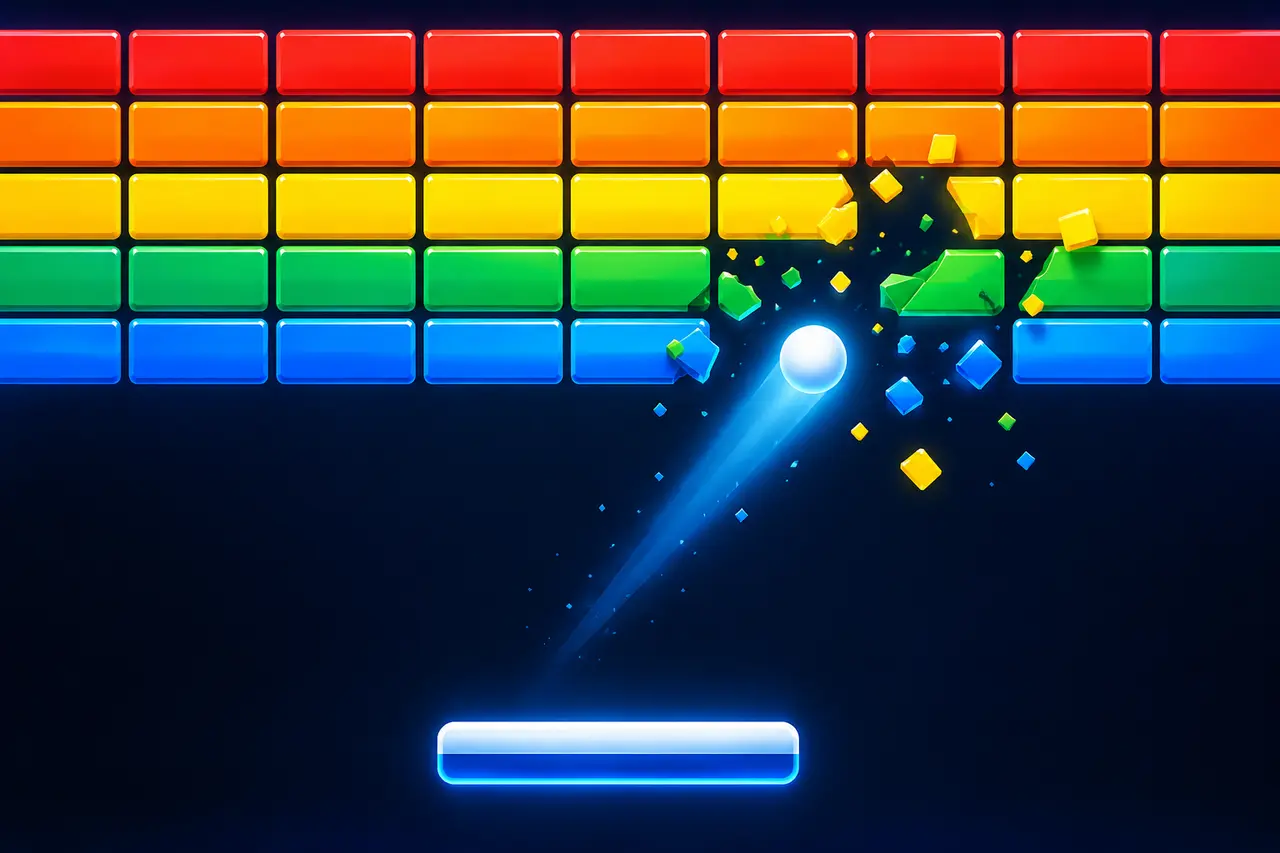
Google Block Breaker is a free brick-breaking arcade game that you can launch from Google Search. The objective is simple: control a paddle, keep the ball from falling off the bottom of the screen, and use it to destroy the colored blocks above you. There is no separate game to install or account to create.
The game follows the familiar formula established by classic brick-breaking games such as Breakout, but packages it as a lightweight Google Search experience. Search for “block breaker” on Google, find the interactive game card, and select the play button to start. Current guides consistently report that the game works on both desktop and mobile devices.
What Is Google Block Breaker?
Google Block Breaker is a browser-based arcade game built around a paddle, bouncing ball, and wall of breakable blocks. Your main task is to keep the ball moving by returning it with the paddle. Every successful return gives the ball another opportunity to hit blocks until you clear the board and continue through the game.
The concept closely resembles the brick-breaking genre popularized by Atari’s Breakout. Google’s version uses its familiar blue, red, yellow, and green colors and adds additional gameplay elements beyond simply breaking identical bricks.
Google Block Breaker should not be confused with the many unrelated games called “Block Breaker” on app stores and gaming websites. If you are looking for Google’s version, you normally do not need to download an Android, iPhone, Windows, or browser application.
How to Play Google Block Breaker
The quickest way to find the game is through Google Search:
- Open Google Search in your browser or Google app.
- Search for “block breaker.”
- Look for the interactive Block Breaker game card in the search results.
- Select or tap Play.
- Launch the ball and move the paddle underneath it.
- Keep returning the ball while it destroys the blocks above.
- Clear the blocks to continue playing.
Searching for variations such as “Google Block Breaker” or “brick breaker” may also surface the game. Multiple current sources report that no separate download or account is required.
If the interactive card does not appear, remember that Search features can differ by device, interface, region, and rollout. Trying the basic query “block breaker” directly in Google Search is preferable to downloading an unrelated game with a similar name.
Google Block Breaker Controls
The exact way you interact with the game depends on whether you are playing on a computer or touchscreen device. The essential control is horizontal paddle movement.
| Action | What to do |
|---|---|
| Start the game | Select or tap Play |
| Launch the ball | Use the displayed launch control |
| Move left | Move the paddle toward the left |
| Move right | Move the paddle toward the right |
| Return the ball | Position the paddle beneath its path |
| Progress | Destroy the required blocks and continue |
Desktop versions support keyboard controls, while touchscreen devices provide touch-based interaction. Some current versions or recreations document additional keyboard bindings, but it is safest to follow the controls displayed by Google’s game because interfaces and functionality can change.
The controls are simple, but paddle positioning matters. Instead of reacting only when the ball reaches the bottom of the screen, start moving toward its expected landing point while it is still traveling downward.
How Google Block Breaker Gameplay Works
Each round revolves around three objects: the ball, the paddle, and the blocks. The ball travels around the play area, rebounds from surfaces, and destroys eligible blocks when it strikes them. Your paddle prevents the ball from escaping through the bottom.
That creates a simple gameplay loop:
Launch → track → position → return → break blocks → repeat.
The challenge increases because you cannot directly steer the ball after launching it. You influence its future path through where and how it meets the paddle. That makes positioning more important than simply moving rapidly from side to side.
Later gameplay may also involve tougher block arrangements and special mechanics or power-ups. Current descriptions of the Search game report features such as multi-ball effects and other bonuses that change the normal ball-and-paddle interaction.
Power-Ups and Special Blocks
Power-ups make Google Block Breaker more than a basic wall-clearing game. Depending on the current version, special blocks or bonuses can modify your paddle, ball, or ability to destroy blocks.
Commonly reported effects include multiple balls, a wider paddle, changes to ball behavior, and offensive abilities that make blocks easier to clear.
The important strategic point is that a power-up is only useful if collecting or using it does not cause you to lose control of the main ball. When several objects are moving simultaneously, keeping track of the ball closest to the bottom of the screen should usually take priority over watching blocks disappear at the top.
Tips for Getting a Higher Score
Fast reactions help, but anticipation is more useful. Watch the direction of the ball immediately after each collision and estimate where it will reach paddle height. Moving early gives you much more room to correct your position.
Paddle contact can also affect the ball’s subsequent trajectory in brick-breaker games. Instead of treating every successful return as equal, experiment with different contact points. Angled returns can help the ball reach areas that repeated vertical shots struggle to clear. Current descriptions of Google Block Breaker specifically note the importance of paddle position in determining the return angle.
A useful priority system is:
- Protect the ball first. A bonus is rarely worth losing a life.
- Move before the ball reaches the paddle. Prediction is easier than last-second recovery.
- Use angles deliberately. Change the return path when blocks remain in awkward positions.
- Stay focused during multi-ball sequences. Track the lowest or most dangerous ball first.
- Avoid unnecessary paddle movement. Excessive corrections can move you away from a good interception point.
The game becomes harder as there is less time to react, so efficient movement matters more than frantic movement.
Google Block Breaker vs. Atari Breakout
Google Block Breaker and Atari Breakout share the same fundamental brick-breaking idea, but they should not be treated as the same Google Easter egg.
| Feature | Google Block Breaker | Classic Breakout concept |
|---|---|---|
| Main objective | Break blocks with a bouncing ball | Break bricks with a bouncing ball |
| Player control | Horizontal paddle | Horizontal paddle |
| Access | Google Search | Originally an arcade game |
| Visual style | Google-inspired colors and interface | Classic arcade presentation |
| Modern extras | Special blocks and power-ups may appear | Original gameplay is comparatively simple |
This distinction matters because Google previously had an Atari Breakout Easter egg associated with Google Images. Google’s newer Block Breaker Search game is a separate experience rather than simply another name for that older Images feature. Current coverage places the newer game’s appearance in Google Search in January 2025.
Do You Need to Download Google Block Breaker?
No separate download is normally required to play the Google Search version. It is designed to launch from the search results in a browser or compatible Google interface.
This is useful to know because searching an app store for “Block Breaker” produces unrelated games from third-party developers. For example, Google Play currently lists several products using similar names, and their gameplay can differ significantly from the Search game.
If your goal is specifically to play Google’s game, start with Google Search rather than an app store.
Is Google Block Breaker Free?
The Google Search version is free to play and does not require purchasing the game. Current coverage also reports that it does not require a dedicated account or separate installation.
You still need access to Google Search and a compatible device or browser. Availability and the appearance of Search features can change, so an absent game card does not necessarily mean that a similarly named third-party download is the official alternative.
Why Google Block Breaker May Not Appear
If you search for the game and see ordinary results instead of an interactive game card, first confirm that you are actually using Google Search and search the simpler phrase “block breaker.”
You can also try another browser or switch between desktop and mobile Search. Search experiences sometimes vary between devices and regions, and third-party reports note that availability may not always be identical for every user.
Avoid assuming that the first “Block Breaker” application in an app store is Google’s Search game. Similar names are common in this genre.
Google Block Breaker FAQs
Is Google Block Breaker an official Google game?
The version discussed here is an interactive brick-breaking game available through Google Search. It should not be confused with independently developed Block Breaker games available elsewhere.
What should I search to play Google Block Breaker?
Search Google for “block breaker.” Current sources also report that queries such as “Google Block Breaker” and “brick breaker” can surface the interactive game.
Can I play Google Block Breaker on my phone?
Yes. Current reports describe the Search game as playable on mobile as well as desktop devices, with touchscreen interaction available on phones and tablets.
Is Google Block Breaker the same as Atari Breakout?
No. They share the classic paddle-and-bricks concept, but Google’s current Block Breaker Search game is distinct from the older Atari Breakout Google Images Easter egg.
Does Google Block Breaker have power-ups?
Current descriptions report special gameplay effects and power-ups, including features that can alter the paddle, create additional balls, or otherwise change how blocks are cleared.
Can I save my Google Block Breaker progress?
Current reporting indicates that the Search game is designed around individual play sessions rather than a persistent save system. Closing the session may therefore mean starting again when you return.
Conclusion
Google Block Breaker turns a familiar Google search into a quick arcade game built around one simple challenge: keep the ball alive long enough to clear the blocks. You can usually start by searching “block breaker” on Google and opening the interactive game card, with no separate installation required.
Learning the controls takes only a few moments. Improving is mostly about predicting the ball’s path, positioning the paddle early, creating useful return angles, and staying disciplined when power-ups or multiple balls make the screen busier. If you are specifically looking for Google’s version, launch it through Google Search rather than downloading one of the many unrelated games that share the Block Breaker name.
For more helpful guides please visit RoyalSprinter.
