


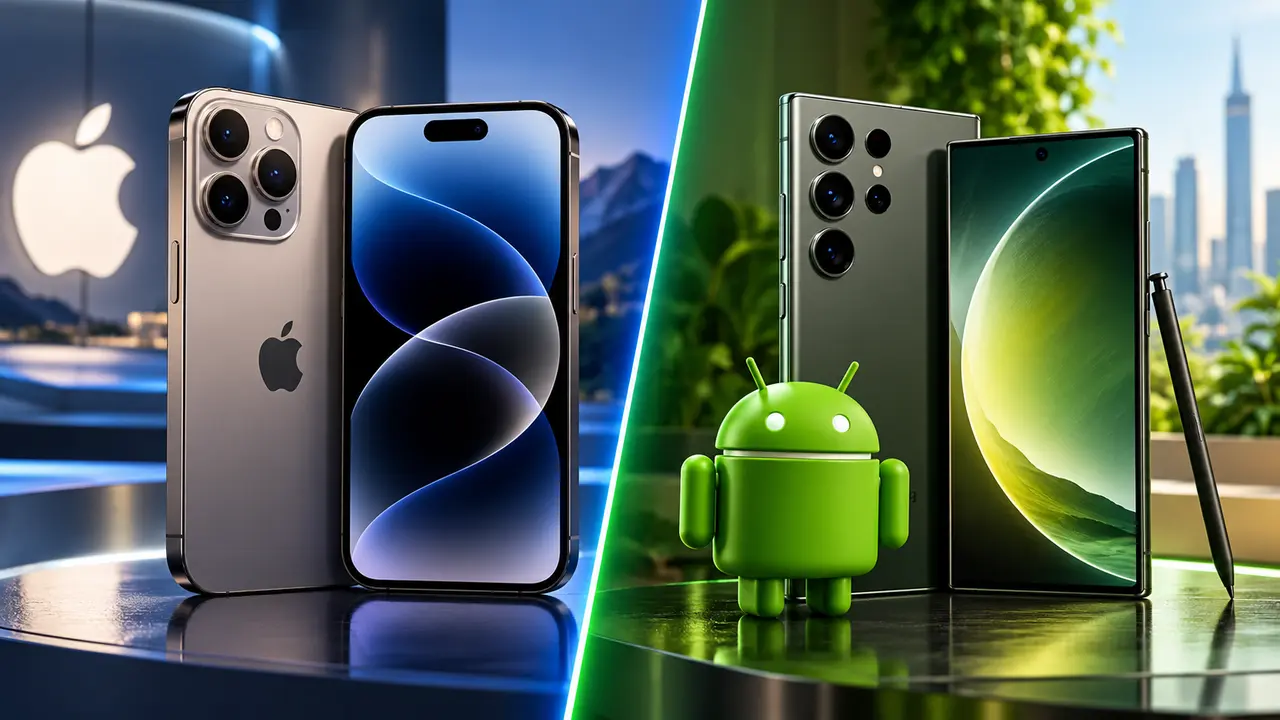
The iPhone vs Android decision is no longer about choosing between a “premium” phone and a cheaper alternative. Both platforms now offer excellent cameras, fast processors, strong security, AI features, long software support, and polished apps. The bigger difference is how each platform approaches the smartphone experience.
Apple’s iPhone emphasizes consistency and close integration with products such as the Mac, iPad, Apple Watch, and AirPods. Android gives you far more hardware choice, deeper customization, and phones ranging from inexpensive models to premium flagships and foldables.
The right choice therefore depends less on which operating system is universally “better” and more on what you want your phone to do, what other devices you own, and how much control you want over the experience.
iPhone vs Android at a Glance
| Category | iPhone | Android |
|---|---|---|
| Hardware choice | Limited to Apple’s iPhone lineup | Large selection from multiple manufacturers |
| Customization | Moderate | Extensive |
| Software consistency | Very consistent across supported iPhones | Varies by manufacturer and model |
| Long-term updates | Strong | Strong on leading models, but varies by brand |
| Ecosystem integration | Excellent with Apple devices | Flexible across Google, Windows, and manufacturer ecosystems |
| Privacy controls | Strong system-level controls | Strong controls, with implementation varying by device |
| Budget options | More limited | Extensive |
| Foldable phones | Depends on current Apple lineup | Multiple manufacturers and form factors |
| File management | Relatively controlled | Generally more flexible |
| Messaging | iMessage plus RCS/SMS/MMS | RCS/SMS/MMS and third-party messaging apps |
| Custom launchers/defaults | More restricted | Extensive |
| Best fit | Users prioritizing simplicity and Apple integration | Users prioritizing choice and customization |
One qualification matters throughout this comparison: Android is a platform, not one phone. A premium Samsung Galaxy or Google Pixel should not be assumed to behave like an inexpensive Android handset. Hardware quality, cameras, software features, and update policies can differ significantly among manufacturers.
The Biggest Difference Is Control Versus Consistency
The fundamental difference between iPhone and Android is how much variation each platform allows.
Apple controls both iPhone hardware and iOS. That gives it tight control over how software, processors, cameras, accessories, and other Apple products work together. Supported iPhones also receive the same core operating system directly from Apple.
Android takes a different approach. Google develops the core Android platform, while manufacturers such as Samsung and Google build phones around it and add their own hardware and software features. That creates far greater variety in screen sizes, camera systems, charging technology, designs, prices, and form factors.
Android 16, for example, expanded features covering notifications, multitasking, accessibility, privacy, and security, although Google notes that availability can vary according to the device, carrier, and region.
That distinction explains many of the differences throughout this comparison. iPhone offers a more standardized experience. Android lets manufacturers and users make more choices.
Android Gives You Far More Phone Choices
If hardware variety matters, Android has a major structural advantage.
Buying an iPhone means choosing among the models Apple currently sells or purchasing an older model. With Android, you can choose among numerous manufacturers, product families, price ranges, screen sizes, camera configurations, and specialized designs.
This is particularly useful when you have a specific requirement. Someone might prioritize a large battery, another person might want a foldable screen, while someone else may simply need an affordable phone for messaging, navigation, banking, and video.
It also means that saying “Android is cheaper than iPhone” is too simplistic. Android includes budget phones, midrange devices, and expensive flagships. A high-end Android phone can cost as much as, or more than, a premium iPhone.
The practical advantage is choice at more price points, rather than Android simply being the inexpensive option.
iPhone Has an Advantage If You Already Use Apple Products
The strongest reason to choose an iPhone may have little to do with the phone itself.
Apple builds features that connect the iPhone with Macs, iPads, Apple Watches, and other Apple products. Its Continuity system includes AirDrop, Handoff, Universal Clipboard, Continuity Camera, calling and messaging across devices, and iPhone Mirroring on compatible hardware.
Consider someone who owns a MacBook and iPad. They can copy something on one Apple device and paste it on another, transfer files with AirDrop, start certain tasks on one device and continue them on another, or use an iPhone camera with a Mac.
Each feature may seem relatively small on its own. Together, they reduce friction throughout the day.
Android has its own cross-device capabilities. Google services work on numerous platforms, and features such as Quick Share can connect compatible Android, ChromeOS, and Windows devices. The experience, however, depends more heavily on which Android manufacturer and other devices you use.
This creates an important buying rule: compare ecosystems, not just phones. An iPhone becomes more useful when surrounded by other Apple products, while Android may make more sense for someone who wants to mix products and platforms.
Android Offers Much More Customization
Customization remains one of Android’s clearest strengths.
Android users can generally change more aspects of their phone’s appearance and behavior, including home-screen layouts, widgets, icon styles, default applications, launchers, keyboards, and other interface elements. Google continues to make personalization a central part of Android, including additional icon and interface customization.
Different manufacturers add another layer. A Samsung Galaxy does not necessarily look or behave exactly like a Google Pixel even when both run Android.
The iPhone has become more customizable over time, so the old claim that iPhones cannot be personalized is outdated. Users can customize home screens, lock screens, widgets, controls, and other interface elements. Apple still maintains tighter boundaries around the overall experience, however.
This makes Android particularly attractive to people who enjoy configuring their phones. If you would rather have the manufacturer make more interface decisions for you, Apple’s more standardized approach can be appealing.
iPhone and Premium Android Phones Both Offer Long Software Support
Software support used to be one of the easiest areas in which to distinguish iPhones from Android phones. That comparison is now more nuanced.
Apple continues supporting iPhones across multiple generations. For example, Apple’s current iOS compatibility information includes devices stretching back several iPhone generations.
Some major Android manufacturers have substantially extended their policies as well. Google states that Pixel 8 and newer phones receive seven years of operating-system and security updates from the date each device first became available through the Google Store in the United States.
Samsung likewise states that its Galaxy S26 series receives seven generations of operating-system upgrades and seven years of security updates from its global launch date.
The important distinction is that Android update policies are manufacturer and model specific.
If you plan to keep a phone for five years or longer, do not simply ask whether Android receives long-term updates. Check the exact manufacturer’s support commitment for the exact model you intend to purchase.
Privacy and Security Are More Complicated Than “iPhone Is Secure”
Both modern platforms include substantial security and privacy protections.
Apple gives users system-level controls such as App Tracking Transparency, which requires apps to request authorization before tracking users across other companies’ apps and websites in circumstances covered by Apple’s policy. Apple also provides privacy information for apps and other controls for sensitive data.
Apple’s approach to AI also emphasizes on-device processing. For supported Apple Intelligence features that require greater computational resources, Apple says Private Cloud Compute can process relevant data without retaining it after the request.
Android has continued strengthening its own security architecture. Android 16 includes protections such as Identity Check and Advanced Protection, alongside additional privacy and security changes at the platform level.
The Android comparison again requires more care because devices come from different manufacturers. Security support length, additional protections, update timing, and preinstalled software can vary.
A more useful question is therefore not simply “Is iPhone or Android safer?” Ask:
- How long will this specific phone receive security updates?
- How quickly does its manufacturer distribute them?
- What privacy permissions and account settings are enabled?
- Where is sensitive information processed?
- How carefully does the owner manage apps, passwords, authentication, and phishing attempts?
The user’s behavior remains important regardless of operating system.
iPhone vs Android Cameras: Compare Phones, Not Operating Systems
There is no reliable answer to “Does iPhone or Android have the better camera?” without naming specific phones.
Camera performance depends on the device’s sensors, lenses, image-processing software, video capabilities, stabilization, computational photography, and shooting conditions. Android manufacturers also pursue different camera strategies.
One Android flagship might emphasize long-distance zoom, while another prioritizes computational photography. An iPhone may perform differently again for video, portraits, low-light photography, or color processing.
The same problem occurs when comparing megapixel counts. A camera with more megapixels does not automatically produce better photographs. Sensor size, optics, processing, dynamic range, autofocus, and stabilization can matter just as much.
If photography is your main reason for buying a phone, compare the specific iPhone and Android models in your budget, ideally using full-resolution samples taken under similar conditions.
Apps Are Excellent on Both Platforms
Most mainstream services now support both iOS and Android, which makes app availability much less decisive for typical users.
Social media, streaming, banking, productivity, navigation, shopping, communication, and cloud-storage services generally have apps on both platforms.
Differences become more relevant when you rely on specialized software. Certain professional, creative, accessibility, business, regional, or hardware-specific applications may support one platform better than another.
Before switching platforms, check the five or ten apps that are indispensable to you. Pay particular attention to paid apps, subscriptions, saved app data, games, accessories, authentication apps, and professional tools.
An app being available on both platforms does not necessarily mean that your purchases or local data automatically transfer.
iPhone and Android Messaging Works Better Together Than It Used To
Messaging was once a much bigger barrier between the platforms.
iPhones use iMessage when communicating with compatible Apple devices. Apple says iMessage supports features including high-resolution media, read receipts, typing indicators, and end-to-end encryption.
iPhones can also use RCS, SMS, and MMS for non-iMessage conversations, although RCS availability depends on the carrier and region.
RCS has improved communication between iPhone and Android users by supporting richer messaging features than traditional SMS/MMS in supported configurations. Android’s switching guidance highlights features such as higher-quality media sharing and improved group conversations across Android and iOS.
That does not make iMessage and RCS identical, nor does every carrier or country support exactly the same capabilities. It does mean that the historical messaging gap should not automatically determine your next phone purchase.
AI Features Are Becoming Important, but Hardware Compatibility Matters
AI is increasingly built into both smartphone platforms, but buyers should pay attention to the fine print.
Apple Intelligence combines on-device processing with Private Cloud Compute for supported requests and devices. Apple also limits Apple Intelligence availability according to hardware, language, and region.
Android manufacturers and Google likewise integrate AI into areas such as communication, search, photography, productivity, and device management. Android’s capabilities can vary significantly between manufacturers and phone generations.
This produces a common purchasing mistake: seeing an AI feature demonstrated for a platform and assuming every phone on that platform supports it.
Before buying for a particular AI capability, verify the exact:
| Check | Why It Matters |
|---|---|
| Phone model | Some AI features require newer processors |
| OS version | Features may require a newer system release |
| Country or region | Availability can be geographically restricted |
| Language | Some features support only selected languages |
| Manufacturer | Android AI capabilities vary by brand |
| Cloud requirements | Some functions require internet access |
| Subscription requirements | Certain advanced services may not remain free |
Treat AI as a model-specific feature, not simply an iPhone-versus-Android feature.
Android Is Usually More Flexible for File Management and Device Choice
Android generally suits users who want their smartphone to behave more like an open computing device.
Depending on the manufacturer, users may have broader control over file transfers, default applications, USB connectivity, launchers, and how files are organized or accessed.
This can matter if you frequently move large files between a phone and PC, install specialized applications, customize workflows, or use hardware from several manufacturers.
Apple’s more controlled approach can reduce complexity, particularly for people who already rely on iCloud and other Apple services. The trade-off is that users who want deeper control may encounter more restrictions.
Neither philosophy automatically makes a platform better. They serve different preferences.
Consider the Total Cost, Not Just the Phone Price
Sticker price is only one part of smartphone ownership.
Suppose Phone A costs $900 and remains useful to you for five years. Ignoring resale value and other expenses, its purchase cost works out to $180 per year.
Phone B costs $600 but you replace it after three years. Its purchase cost works out to $200 per year.
The cheaper phone was not cheaper on an annualized purchase-cost basis.
This is only a hypothetical example, but it demonstrates why buyers should consider:
- Expected ownership period
- Guaranteed software support
- Battery replacement costs
- Repair costs
- Accessories
- Cloud-storage subscriptions
- Trade-in or resale value
- Existing paid apps and subscriptions
- Accessories that become incompatible after switching
Switching platforms can also have a hidden cost. Replacing a compatible watch, transferring subscriptions, changing cloud-storage workflows, or repurchasing applications can make a seemingly inexpensive switch more costly.
Which Should You Choose: iPhone or Android?
Instead of looking for a universal winner, match the platform to the way you actually use a phone.
An iPhone may suit you if you already own several Apple products, value highly consistent software across devices, frequently use features such as AirDrop or Handoff, prefer Apple’s approach to hardware-software integration, or simply do not want to spend much time configuring your phone.
An Android phone may suit you if you want more hardware choices, need options across a wider range of budgets, enjoy customizing the interface, want access to different form factors, or prefer choosing among manufacturers based on cameras, batteries, displays, charging, or other priorities.
For many buyers, the decision can be reduced to three questions:
What devices do you already own? A Mac, Apple Watch, or iPad increases the practical value of an iPhone. A Windows-centered or mixed-device setup may reduce that ecosystem advantage.
How much customization do you want? Android generally gives you more control. iPhone generally gives you a more standardized experience.
Which specific phones fit your budget? Compare those devices directly. Comparing a premium iPhone with an entry-level Android phone tells you very little about the platforms themselves.
Common Mistakes When Comparing iPhone and Android
One of the biggest mistakes is comparing an operating system with a single phone. “Android” includes devices with dramatically different prices, processors, cameras, update policies, and build quality.
Another is choosing based entirely on specifications. More RAM, more megapixels, or a larger battery does not automatically produce a better overall experience. Software optimization and actual performance matter.
Buyers also underestimate ecosystem switching costs. Your phone may work with your existing watch, computer, earbuds, cloud storage, smart-home products, and paid applications. Check those dependencies before changing platforms.
Finally, avoid buying solely for a newly announced feature. Some software and AI capabilities are restricted by model, language, carrier, or region. Verify that the feature works on the exact device you are considering.
FAQs About iPhone vs Android
Is iPhone better than Android?
Neither platform is universally better. iPhone emphasizes consistency and integration with Apple’s ecosystem, while Android offers substantially more choice and customization. The better fit depends on your devices, budget, priorities, and preferred level of control.
Do Android phones receive updates for as long as iPhones?
Some do. Google guarantees seven years of OS and security updates for Pixel 8 and newer phones, while Samsung offers long-term support on selected Galaxy flagships. Other Android manufacturers and models may have different policies.
Is iPhone more private than Android?
Apple and Android both provide extensive privacy and security controls, but their implementations differ. Apple offers features such as App Tracking Transparency, while Android continues adding protections such as Identity Check and Advanced Protection. Privacy also depends on apps, account settings, manufacturer policies, and user behavior.
Can iPhone and Android users use RCS messaging?
Yes, supported iPhones can use RCS for messaging with non-iMessage devices, although Apple notes that RCS support varies by carrier, country, and region.
Is Android cheaper than iPhone?
Android provides more options at lower price points because many manufacturers produce Android phones. Premium Android flagships, however, can also be expensive. Compare individual phones rather than assuming every Android device costs less than an iPhone.
Is it difficult to switch from iPhone to Android?
Switching has become easier, and Android provides tools for transferring content such as contacts, photos, messages, and other supported data. The more important challenge may be replacing ecosystem-specific services, accessories, paid apps, and workflows.
Conclusion
The iPhone vs Android choice comes down to two different approaches to smartphones. iPhone provides a controlled, consistent experience that becomes especially compelling when combined with other Apple devices. Android prioritizes variety, customization, and the freedom to choose among numerous manufacturers, designs, features, and price points.
The gap between the platforms has also narrowed. Leading Android phones can receive many years of updates, iPhone supports RCS messaging, and both platforms offer sophisticated privacy, security, camera, and AI capabilities.
Before choosing, list the features you use every day, the devices and accessories you already own, how long you expect to keep the phone, and your maximum budget. Then compare specific models rather than “iPhone” and “Android” in the abstract. That approach is much more likely to lead you to the phone that fits your needs.
For more helpful guides please visit RoyalSprinter.
